The SceneGraph3D Description Language
light
| Derived from: |
Node3D |
| Class name: |
Light3D |
| Placement: |
Anywhere |
| Description: |
It adds a light source to the scene. The light source can be manipulated like any other node, including activation/deactivation and transformations. The light sources can be point lights, area lights (point lights with a non-zero radius) and spot lights, with or without attenuation or shadows. Lights also have a range of effect (and a near range for defining the closest-to-light distance for the shadow map) as well as an RGB color value which can be set to more than (1,1,1). Internally, illumination can withstand a 200% overexposure without being saturated, although the final result depends on the output buffer color accuracy. Shadows are enabled individually for each light source. |
| Special notes: |
Attenuation and spotlight source type are not implemented yet. |
| Inherited attributes: |
name, active |
| New attributes: |
| attribute |
type |
description |
| type |
OPTION |
The type of light source. This is ignored for the time being, as only positional lights are supported with a directed shadow map. |
| color |
VEC3 |
The color of the light source. RGB values can be greater than 1.0. |
| shadows |
BOOLEAN |
True if the light casts shadows. False by default. |
| attenuation |
BOOLEAN |
True if the light is attenuated. False by default. Attenuation is linear and the light range is set by the range attribute (equal to the far shadow map clipping distance). Attenuation is not yet implemented. |
| range |
FLOAT |
The shadow map and attenuation (far) range. Default value is 100.0. |
| near_range |
FLOAT |
The shadow map near clipping distance. Default value is 1.0. |
| position |
VEC3 |
The position of the light source, relative to the local coordinate system. This point is subject to transformations. |
| target |
VEC3 |
The "look-at" point of the light source, relative to the local coordinate system. It is used for the spotlight type of sources and for the calculation of the shadow map frustum. This point is subject to transformations. |
| resolution |
INT |
The resolution of the shadow map (resolution x resolution square buffer). Default value is 512. |
| apperture |
FLOAT |
The side-to-side apperture of the light cone in degrees. used by spotlights and shadow maps. Default value is 90.0 degrees. |
| size |
FLOAT |
The diameter of the light source in world units. Affects the soft shadows. Default value is zero. |
| skipframes |
INT |
How many frames to skip before re-calculating the shadow map. This is a speed-up parameter. Normally, the shadow maps are calculated every frame, but if the scene/light position changes slowly or there are too many shadow mapped lights turned on, you might want to improve the frame rate by avoiding the redraw of the shadow maps in each frame. Default value is 0. |
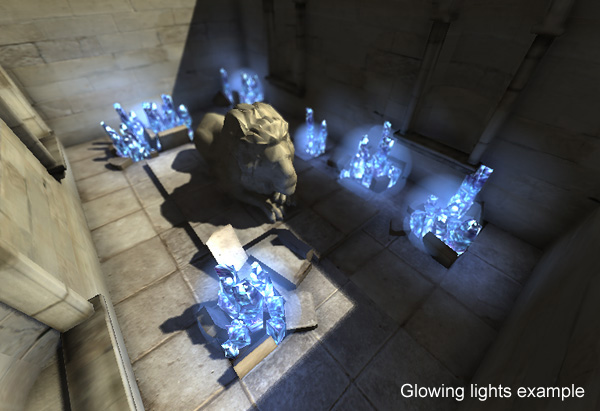
| glow |
|
|
| glow_radius |
|
|
|
| Events: |
|
| Inherited events: |
- |
| New messages: |
| attribute |
value |
description |
| follow |
STRING |
Follow the named node, if the name given is valid. |
| apperture |
FLOAT |
Change the apperture of the camera |
| focal_distance |
FLOAT |
Change the focal distance of the camera |
| focal_range |
FLOAT |
Change the focal range of the camera |
| near |
FLOAT |
Change the near clipping plane distance of the camera. |
| far |
FLOAT |
Change the far clipping plane distance of the camera. |
|
| Inherited messages: |
- |
| Redefined messages: |
- |
| Obsolete messages: |
active, visible, hide, show, deactivate, enable, activate, disable |
Example
<world ambient_occlusion="ssao" bloom="yes" shadows="disk"
       ao_radius="6" ambient="0.3 0.3 0.3" defocus="yes">

    <camera name="first_person" apperture="50.0"
            focal_distance ="30.0" focal_range="30.0"
            near="2.0" far="1000" follow="Myself" primary="true">
    </camera>

    <transformation name="environment" scale="1.0,1.0,1.0" translation="0,0,-10">

        <object name="geom2" file="arena.obj"></object>

    </transformation>

    <user name="Myself" control="navigate" speed="2.0" turn="0.5"
          position="0,10,100" lookat="0,10,0" input="Console">
    </user>

    <input name="Console" type="mousekeyboard">
    </input>
</world>
|
Last update: 24 Feb. 2010