The SceneGraph3D Description Language
character
| Derived from: |
Node3D |
| Class name: |
Cal3D |
| Placement: |
Anywhere |
| Description: |
The Character node implements an animated entity using skeletal animation and in particular, the CAL3D framework. The node accepts the CAL3D configuration file of an animated character, resets the animation to the first available pose (rest pose) and starts the animation. |
| Special notes: |
As the current implementation uses the CPU for the transformation of the skin vertices, too many characters can cause a serious bottleneck. To partially alleviate this, the scene graph updates the animation state of the character nodes in an interleaved manner. Note that currently, only the basic features of CAL3D are supported. Future versions will allow full animation control via messaging as well as motion blending. |
| Inherited attributes: |
name, active, visible |
| New attributes: |
| attribute |
type |
description |
| file |
STRING |
The CAL3D configuration file that specifies which mesh, bone and animation files to load. See the CAL3D documentation for details on how to create, export and confifure CAL3D animations. |
| alpha |
FLOAT |
Aditional transparency information for the whole character mesh |
|
| Events: |
|
| Inherited events: |
- |
| New messages: |
- |
| Inherited messages: |
active, visible, hide, show, deactivate, enable, activate, disable, debug |
| Redefined messages: |
- |
| Obsolete messages: |
- |
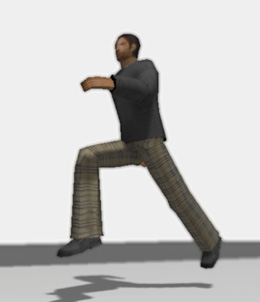
Example
<world ambient_occlusion="ssao" bloom="yes" shadows="disk"
       ao_radius="6" ambient="0.3 0.3 0.3" defocus="yes">

    <camera name="first_person" apperture="50.0"
            focal_distance ="30.0" focal_range="30.0"
            near="2.0" far="1000" follow="Myself" primary="true">
    </camera>


    <directory path="characters/heroine"/>
    <transformation scale="5 5 5" translation="-20 0 0">
        <character file="heroine.cfg" debug="false"/>
    </transformation>

    <user name="Myself" control="navigate" speed="2.0" turn="0.5 freeroll="false"
          position="0,50,50" lookat="0,0,-10" input="Console">
    </user>

    <input name="Console" type="mousekeyboard">
    </input>

</world>
|
Last update: 24 Feb. 2010